4. 請至下列網址安裝最新版的Adobe Flash Player.
http://get.adobe.com/tw/flashplayer/
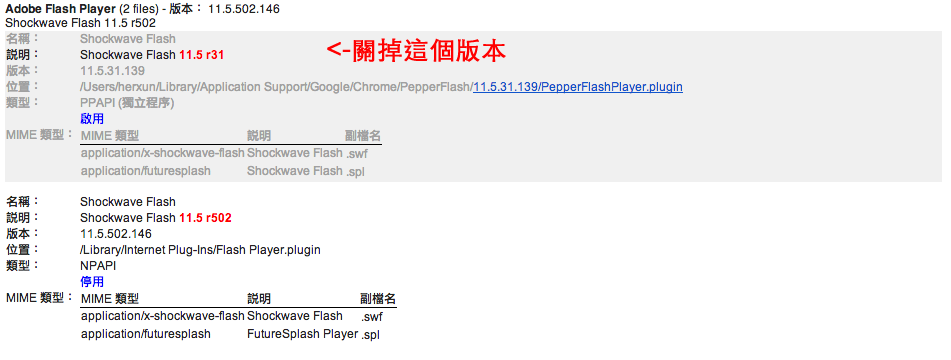
由於Google Chrome內建的Flash Player有些問題,常常造成轉播斷斷續續,
解決詳細步驟如下:
1. 在chrome 的網址輸入 chrome://plugins/
2. 按下右上角的詳細資訊展開
3. 搜尋到Adobe Flash Player plug-in, 將版本為11.5 r31 停用,採用Adobe版本的Flash Player 11.5 r502, 此問題就解決了.
4. 請至下列網址安裝最新版的Adobe Flash Player.
http://get.adobe.com/tw/flashplayer/